


At Rapid7, we know that time is critical when resolving technical issues. That’s why we’ve made it easier than ever to schedule a meeting with your Support Engineer directly from the Customer Portal. Whether you need quick troubleshooting guidance or an in-depth investigation, booking time with us is just a click away!
How It Works (Step-by-Step Guide):
- Log in to the Customer Portal
- Start by navigating to the Customer Portal and heading to the "My Cases" section.
- Select the specific support case you’d like to schedule a call for.
2. Request a Meeting
- Once in your selected case, look for the “Request a Meeting” button in the top panel.
- Clicking this button opens a scheduling pop-up.

3. Choose Your Meeting Duration
- Pick the duration of your meeting.
- 15 minutes: Perfect for initial discussions, such as outlining the issue or gathering troubleshooting logs.
- 30/45 minutes: Ideal for in-depth investigations after logs have been collected.
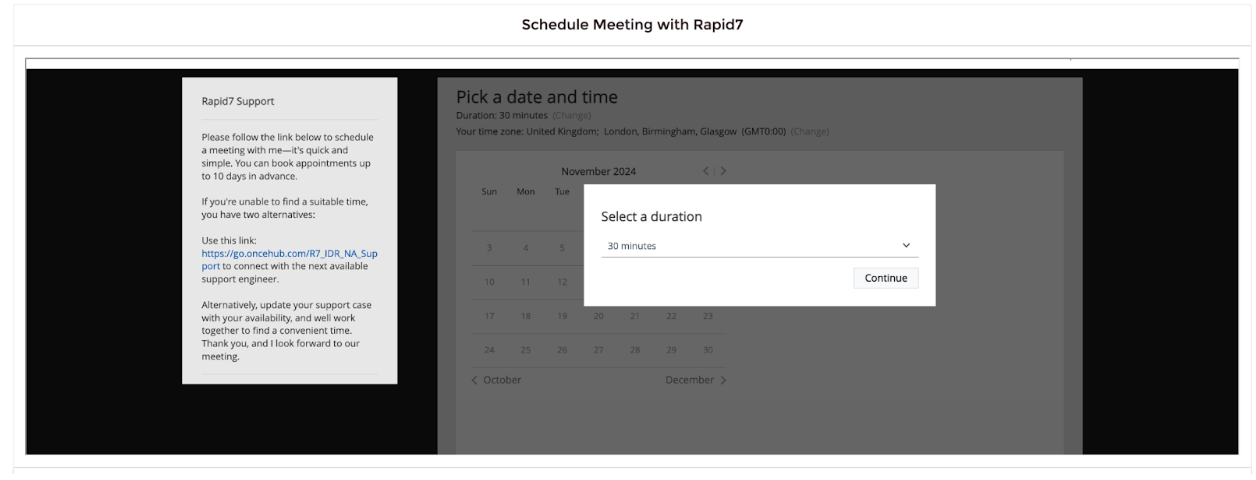
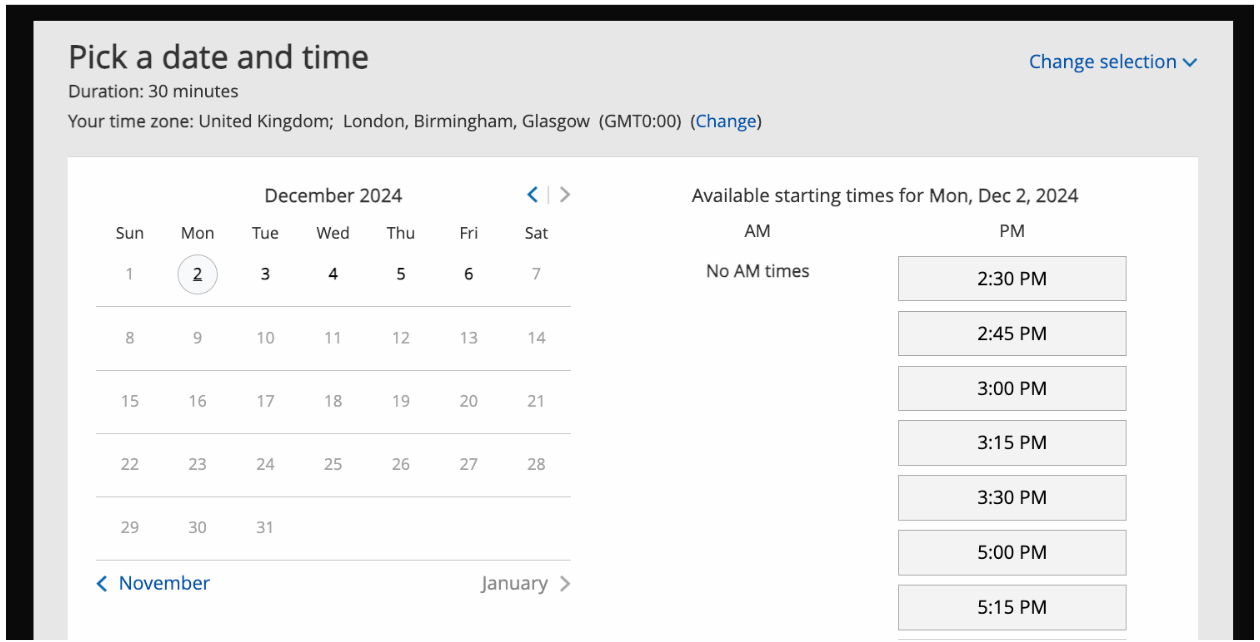
4. Pick a Date and Time
- Select a timeslot based on your Support Engineer’s availability.
- Can’t find a time that works? Reach out directly on your support case to the engineer assigned. We’ll do our best to accommodate your request.
5. Provide Meeting Details
- Fill out basic information: Your Name, Email Address, Case Number
- (Optional) Add additional guests or notes.
- Confirm the booking, and you’re good to go!
What If You Can’t Find a Suitable Slot?
If the calendar doesn’t show a time that works for you, here are two options:
- Reach Out on the Case: Let your Support Engineer know your availability, and we’ll work to find a slot that fits.
- Pooled Availability: Use the pooled scheduling link on the left-hand panel when scheduling a call to connect with another available Support Engineer who can help progress your case.
We’re Here to Help
Your success is our priority. Whether it’s a quick question or a deep dive into the issue, scheduling time with us has never been easier. Let’s resolve this together—book your meeting today!


Article Tags
Related blog posts

Artificial Intelligence
Claude Code Security and the AI Market Reaction: What Security Leaders should Actually Focus on

Laura Ellis

Exposure Management
How CISOs’ Roles – and Security Operations – Will Change in 2024

Jaya Baloo

Security Operations
ISO 27001 Certification: What it is and why it matters
Drew Burton

Security Operations
No Damsels in Distress: How Media and Entertainment Companies Can Secure Data and Content

Ryan Blanchard